| Home | Products | Updates | Support | Company |
Screen Shots
The Request Component provides for the opening, closing, invoicing, scanning, querying and maintenance of requests. Using "Page Tabs", you may quickly navigate to the various information sections of the request.
Page Tabs

Click an image for a larger view of the screen
 Request entry screen (Requests Tab) |
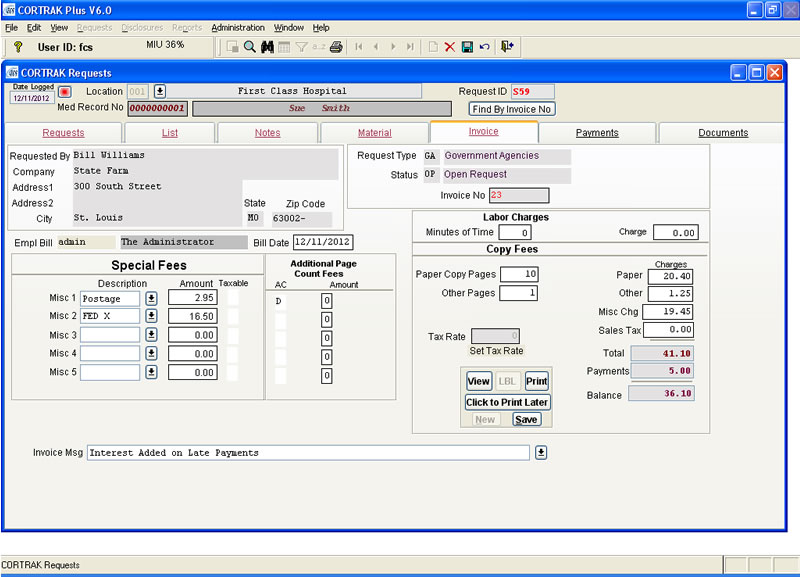 Invoice Screen (Invoice Tab) |
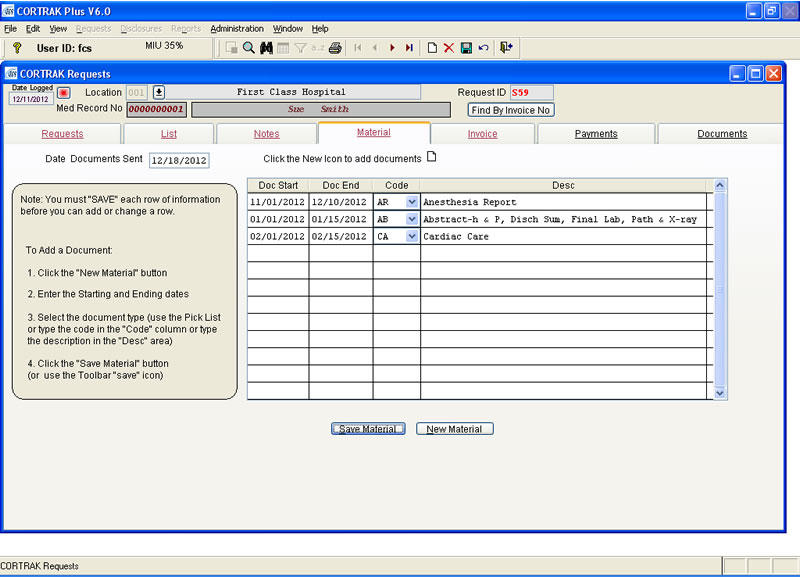 Material Sent screen (Material Tab) |
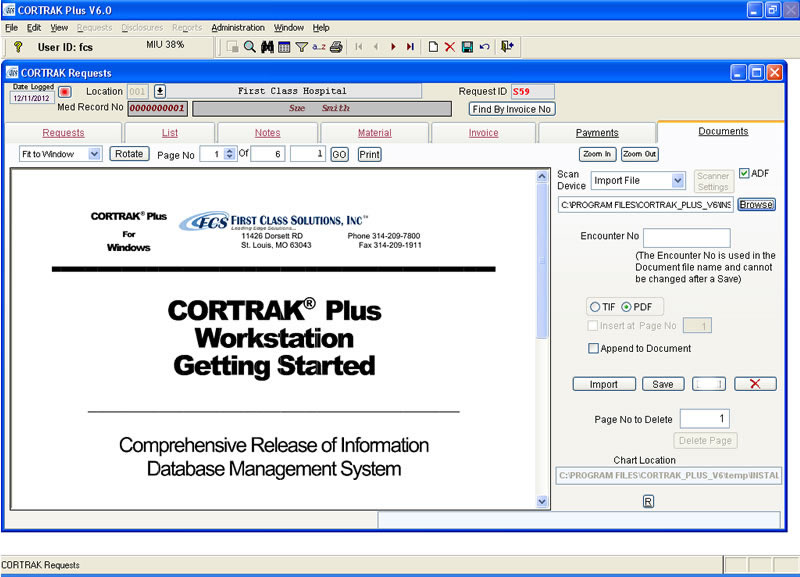 Document Screen (Document Tab) |
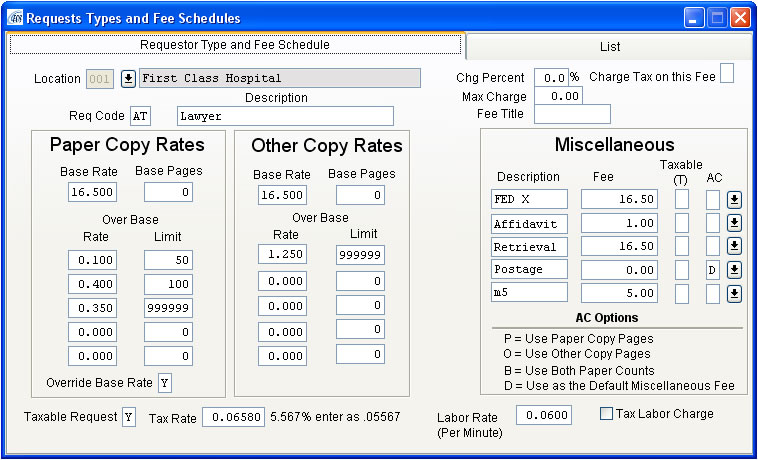
CORTRAK® is extremely flexible and allows you to define the types of request to use with a description and associated fee schedule for each type of request that you define. (i.e. Commercial Insurance, Workmen's Compensation, PRO/QIO, Legal, Subpoenas, etc)
The invoicing component has a flexible rate calculator that provides:
- Fees based on the paper and microfilm count.
- A base retrieval fee with the ability to override.
- Calculate a fee as a percent of the total charges with a maximum charge amount.
- Designate taxing the request fees, the miscellaneous fees and the "percent calculated" fee.
- Tax rates may be designated by individual request, by zip code, facility or requestor.
- Miscellaneous fees that allow predefined amounts for optional billing items, calculating additional fees based on the paper or other counts, establishing a default miscellaneous fee and optional charging of tax on the fee. Fees may be overridden during invoicing.
Sample: Rate Type and Fee Definition Screen
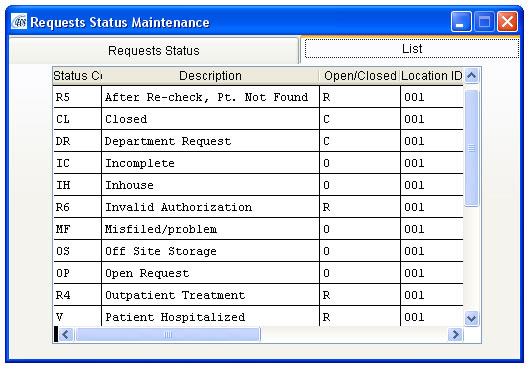
Requests Status

Each request may be in an Open, Closed, Rejected or Prepayment status with user defined states for each status. You may have as many descriptions for each status as you need to describe the current processing state of the request. For example, a request for a record that is at "offsite storage" is OPEN but you can add a Description that reads "Awaiting OffSite Storage Delivery". Therefore, multiple descriptions can carry the status "O" (open), "C" (closed), or "R" (rejected) to help you better determine why a request is open, closed or rejected.
A two character REASON CODE (Current State of the request) is used to abbreviate the description. This is what will be used for the picklist when you are entering the Status of a request on the Request Screen. You type the code or use the Pick list. All changes are recorded by date, time and user ID.
 Look at the Request Entry screen above for the placement of the Status code on the screen.
You may send a letter to any requestor using the "state" of the request. Reject codes have additional features in that you may send a general or specific letter. A general reject letter contains all the reasons a request may be rejected on one letter. CORTRAK® will then mark (with a "X") the reason the request was rejected. A specific reject letter is a single letter for each specific reason the request was rejected.
An rejected status may have been given the following "states":
- Patient Hospitalized
- Record In Incomplete
- Treatment Not Found, Info Need
- Treatment Still Not Found
- No Patient Authorization
- No Workman's Comp Release
- No Fee Enclosed
Sample: Status Definition Screen
CORTRAK® comprehensive security system is built in and provides for access security, menu security, field-level security and control "Button" level security. Below are some of the security options screens.
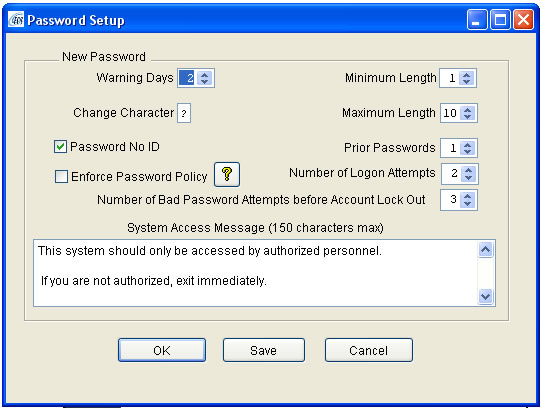
Password setup screen
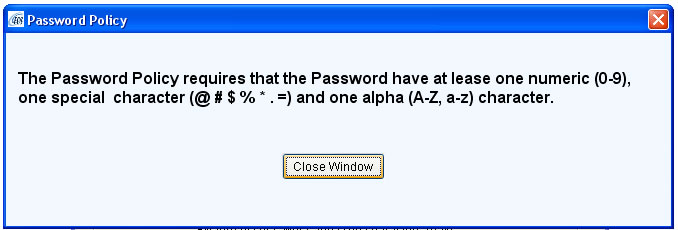
Password requirements when the Password Policy is checked.
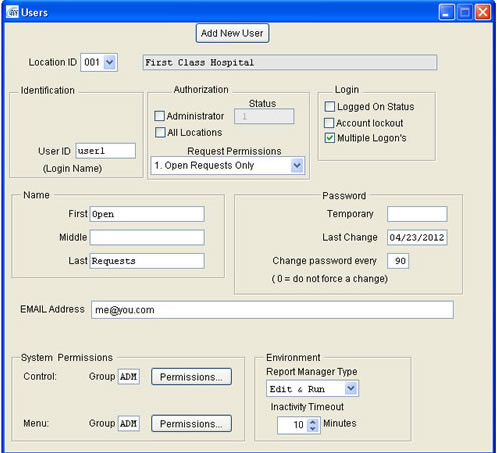
System User Add and Maintenance Screen
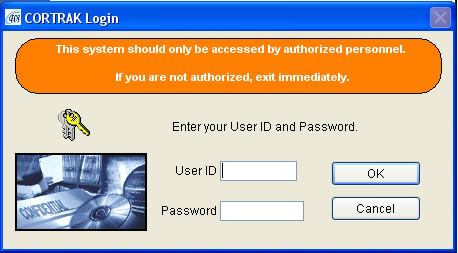
Logon Screen